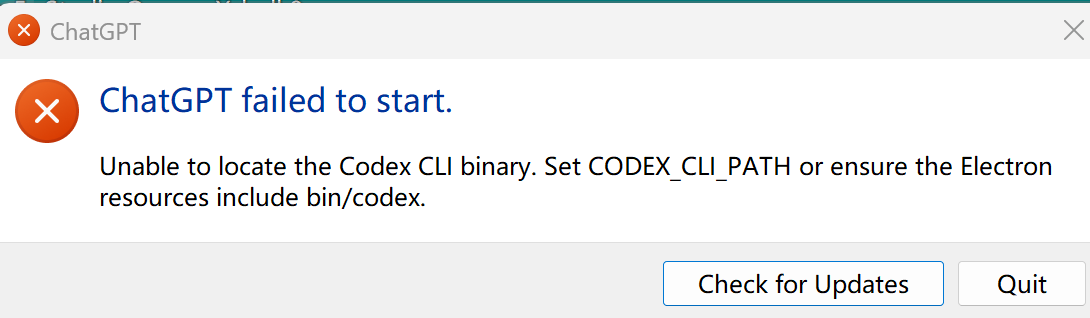
chatGPT(含codex的最新整合版本)在软件内点击更新之后,再次打开可能会提示:
ChatGPT failed to start.

Unable to locate the Codex CLI binary. Set CODEX_CLI_PATH or ensure the Electron resources include bin/codex.
解决方法
- 以管理员身份打开 终端(管理员) [Windows10系统下也可能还是叫powershell,可以win+s搜索powershell然后以管理员身份运行]

- 查找 codex.exe 的真实路径,复制并粘贴以下命令到 PowerShell 中执行:
$codex = "$env:LOCALAPPDATA\Programs\OpenAI\Codex\bin\codex.exe"这个路径是 Codex 的默认安装位置。如果之后 Test-Path $codex 返回 False,可以尝试用 npm 安装的路径:$codex = (Get-ChildItem "$(npm root -g)\@openai\codex" -Recurse -Filter "codex.exe" | Select-Object -First 1).FullName
- 验证路径是否正确:
Test-Path $codex  # 应返回 True
& $codex --version # 应显示版本号,如 codex-cli 0.149.1[reference:6]- 设置永久环境变量:
[Environment]::SetEnvironmentVariable("CODEX_CLI_PATH", $codex, "User")- 检查设置是否成功:
[Environment]::GetEnvironmentVariable("CODEX_CLI_PATH", "User") # 应返回完整路径[reference:7]- 关闭chatGPT:
Get-Process -Name ChatGPT,Codex -ErrorAction SilentlyContinue | Stop-Process -Force然后重新打开ChatGPT检查即可。